Flash on, zoom out, and let the camera do the rest
Guide · How to · Updated November 2026
The look people want from an old digicam isn't a filter. Bright faces, deep dark backgrounds, slightly harsh colour: most of it comes from the built-in flash and a few simple settings. Here's how to get it on purpose instead of by accident.
WHAT ARE THE BEST SETTINGS FOR THE DIGICAM LOOK?
WHY IS THE FLASH THE KEY TO THE LOOK?
Because of what it does to the background. When the flash fires, the camera sets a much faster shutter speed to match the burst of light. The person in front is lit brightly, while the background doesn't get enough light and falls into shadow. Japan's All About photo guide shows this with the same scene shot twice: without flash the camera used 1/5 second, with forced flash it used 1/250, and the background went completely black.
The flash also adds contrast. A small flash right next to the lens gives hard, direct light, so colours pop and shiny surfaces gleam. Things close to the camera come out bright and things further away fall off quickly. That falloff is exactly the party-photo look.
HOW DO YOU MAKE THE FLASH FIRE EVERY TIME?
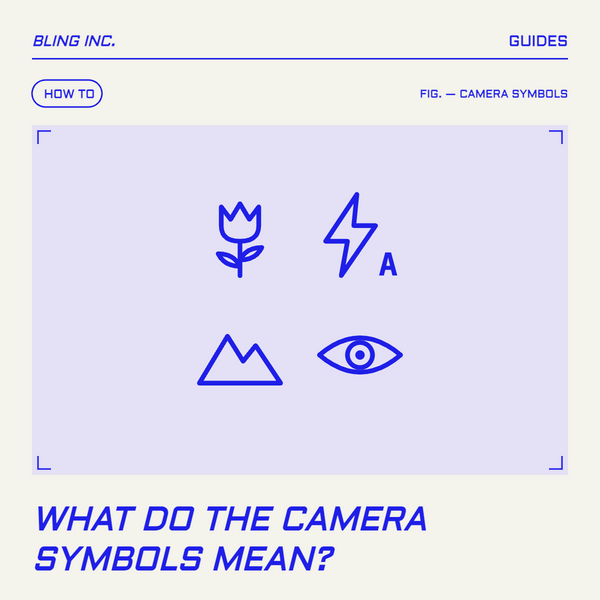
Most digicams leave the flash on Auto, which only fires when the camera thinks it's dark. Press the flash button (usually the lightning bolt on the control wheel) until you see the plain lightning bolt without an "A". It's called Flash On, Forced Flash or Fill Flash depending on the brand. In this mode the flash fires whatever the light.
Try it in daylight too. Camera makers designed forced flash to soften the hard shadows on faces in bright sun or with the light behind someone, and it gives daytime portraits that flat, bright, snapshot feel.
WHAT IS SLOW SYNC AND WHEN SHOULD YOU USE IT?
Slow sync fires the flash but keeps the shutter open longer, so the background is recorded too. Ricoh's manuals describe it as the mode for indoor parties, when you want the person lit and the atmosphere behind them kept. Lights and neon turn into streaks if you or your subject move, which can look great. Hold the camera as still as you can if you want it sharper.
HOW CLOSE DO YOU NEED TO BE?
Closer than you'd think. Digicam flashes are small. Ricoh's manual for one of its compacts gives a daytime flash range of about 0.4 to 3.0 metres at the long end of the zoom and 0.4 to 3.4 metres at the wide end, and says that anything beyond that comes out dark. Check your camera's manual for its exact range, but as a rule, stay within a few steps of your subject and keep the zoom wide.
WHICH WHITE BALANCE SHOULD YOU USE?
Auto is fine most of the time, and it's what camera makers recommend for normal shooting. But the presets are a free colour filter. Each preset tells the camera what kind of light it's under, and the camera corrects for it. Pick the "wrong" one and you get a deliberate colour cast: the indoor bulb (tungsten) preset outdoors makes everything cool and blue, and the cloudy preset adds warmth. Take a test shot and look at it on the screen before you commit to a whole evening.
SHOULD YOU USE THE ZOOM?
Use the optical zoom and switch digital zoom off in the menu if you can. Digital zoom just crops and enlarges part of the picture, which makes it softer without adding detail. If you want something bigger in the frame, walk closer, which also keeps you in flash range.
WHAT ELSE ADDS TO THE LOOK?
- The date stamp. The date in the corner is part of the look for many people. Our date stamp guide shows how to switch it on, and why you should set the clock first.
- The sensor. Many people prefer the colour of older CCD cameras. Our CCD vs CMOS guide explains the difference.
- Auto mode. Start in Auto and change one thing at a time. Once you know what the flash does, switch to Program mode if your camera has it, which gives you more control over settings like white balance.
Heading out with it? Our guide to the best digicam for a night out covers which cameras suit dark bars and clubs. Every camera we list is tested and checked before it goes up, and anything that isn't right is written into the condition notes.